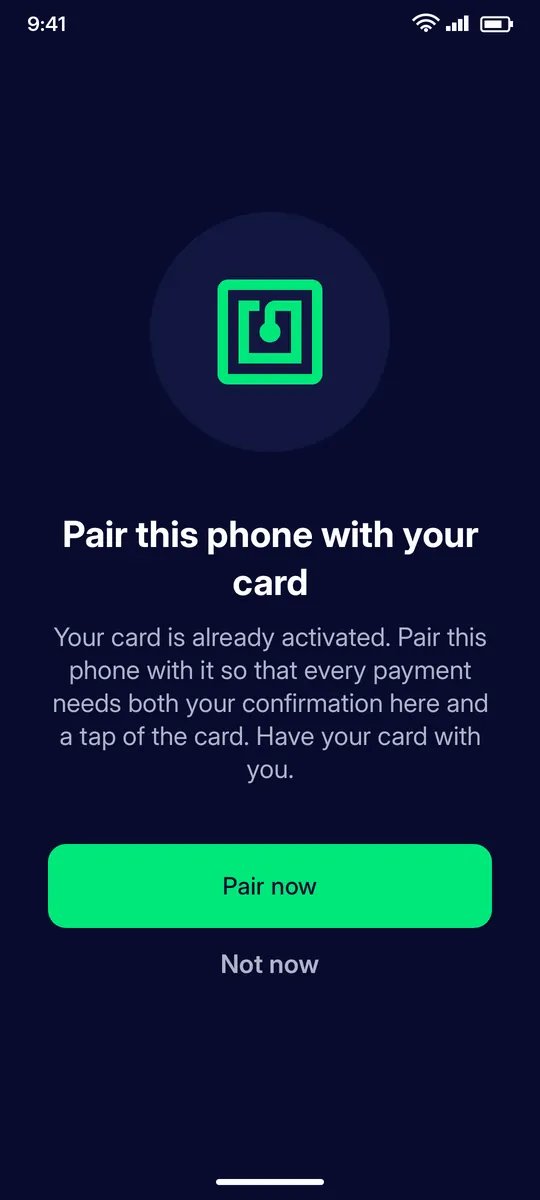
Every payment from the app needs your card and the phone it is paired to. Pair a new phone, or a phone you reinstalled the app on, with a card that was already activated.
Before you start: Your activated Clevor card, your Clevor account signed in on the new phone, and NFC switched on.
Open Settings › Pair card with this phone, or tap Pair now when the app offers it. Have your card with you.
STEP 2
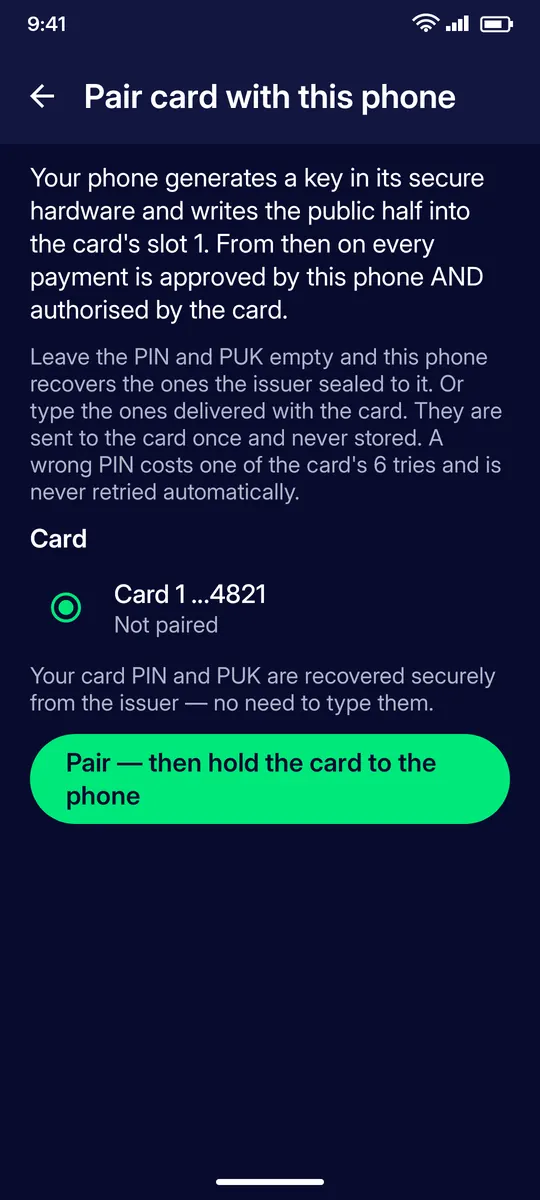
How pairing works
Your phone generates a key in its secure hardware and writes the public half into the card. From then on every payment is approved by this phone and authorised by the card. Leave PIN and PUK empty: the phone recovers them securely from the issuer, so you never type them. Tap Pair — then hold the card to the phone.
STEP 3
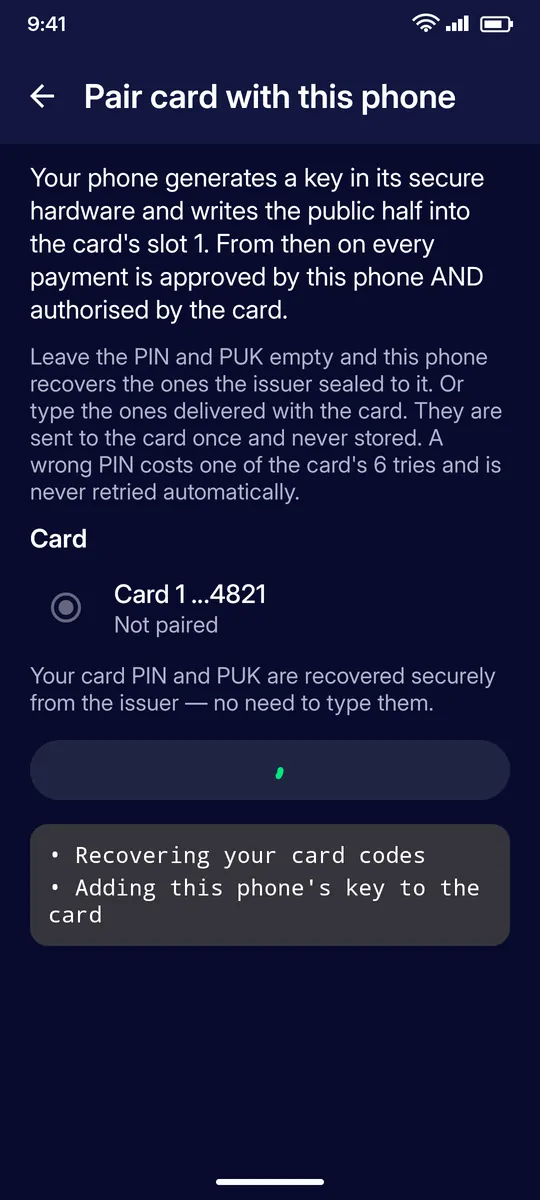
Pairing in progress
The app recovers your card codes and adds this phone’s key to the card. Keep the card against the phone until it finishes.
QUESTIONS
Questions
Why do I need to pair my phone?
Every payment from the app is approved by the paired phone and authorised by the card. A phone that is not paired cannot send payments from the card.
Do I have to type my card PIN and PUK?
No. Leave the fields empty and the phone recovers the codes securely from the issuer. You can type the codes delivered with the card instead; they are sent to the card once and never stored.
What happens if I type a wrong PIN?
A wrong PIN costs one of the card’s six tries and is never retried automatically. Six wrong PINs in a row block the card until you unblock it from the app.
Where is the pairing key stored?
In your phone’s secure hardware. Only its public half is written into the card.