A new card is activated once, with the card in your hand. The app reads the card, the issuer prepares it, and the card’s keys are written during a final tap. The same step pairs your phone with the card.
Before you start: Your Clevor card, a signed-in Clevor account and an Android phone with NFC switched on. Example screens with sample data; your app may look slightly different.
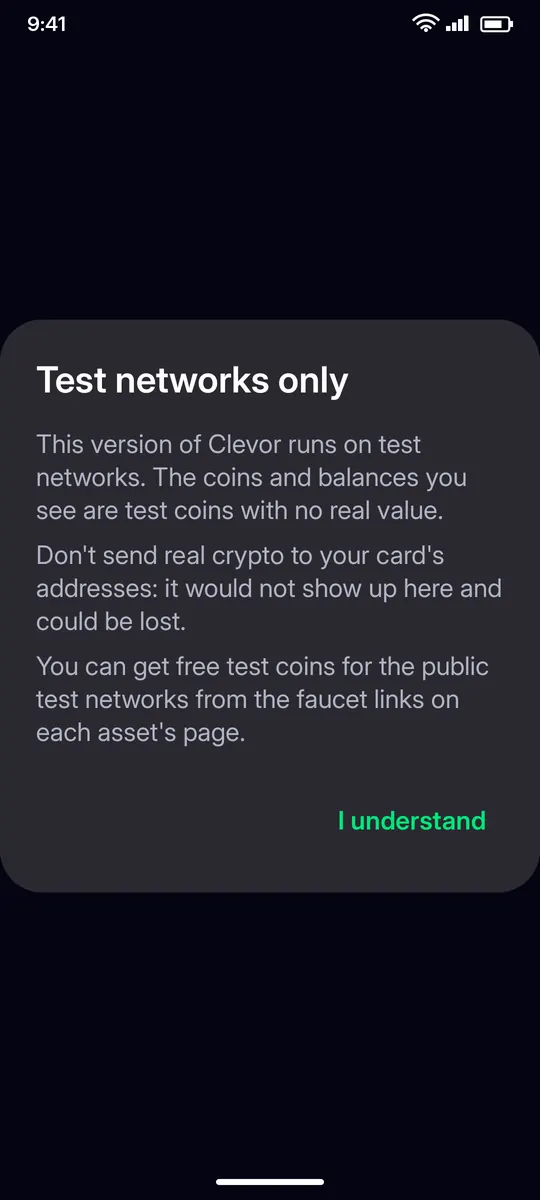
Clevor currently runs on test networks. Don’t send real crypto to your card’s addresses: it would not show up in the app and could be lost.
Step by step
Step 1
Test networks notice
If this version of the app runs on test networks, a notice says so when you first sign in: the coins and balances you see are test coins with no real value. Tap I understand.
Step 2
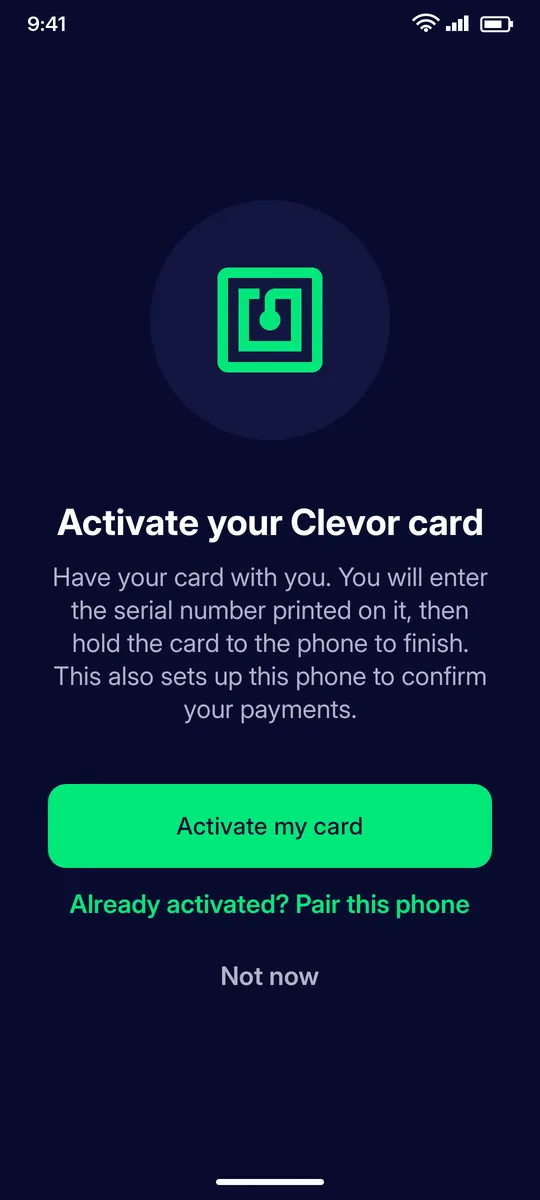
Start the activation
The app offers Activate my card. Have your card with you. If the card was already activated on another phone, tap Already activated? Pair this phone.
Step 3
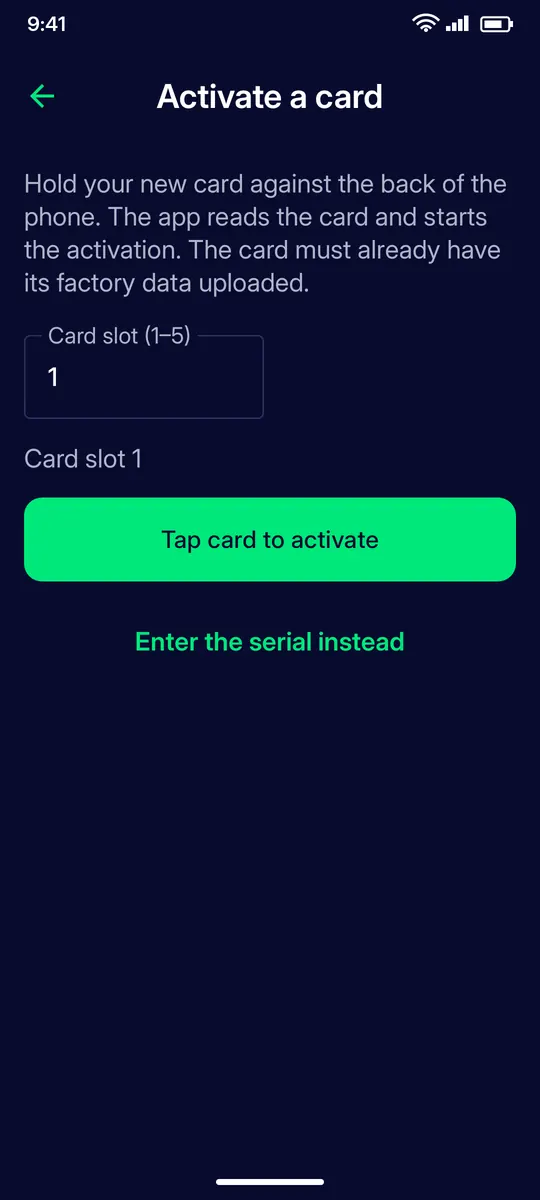
Tap the card…
The app picks your next free card slot (an account has five slots in total); tap Change only if you need another. Tap Tap card to activate and hold the card against the back of the phone.
Step 4
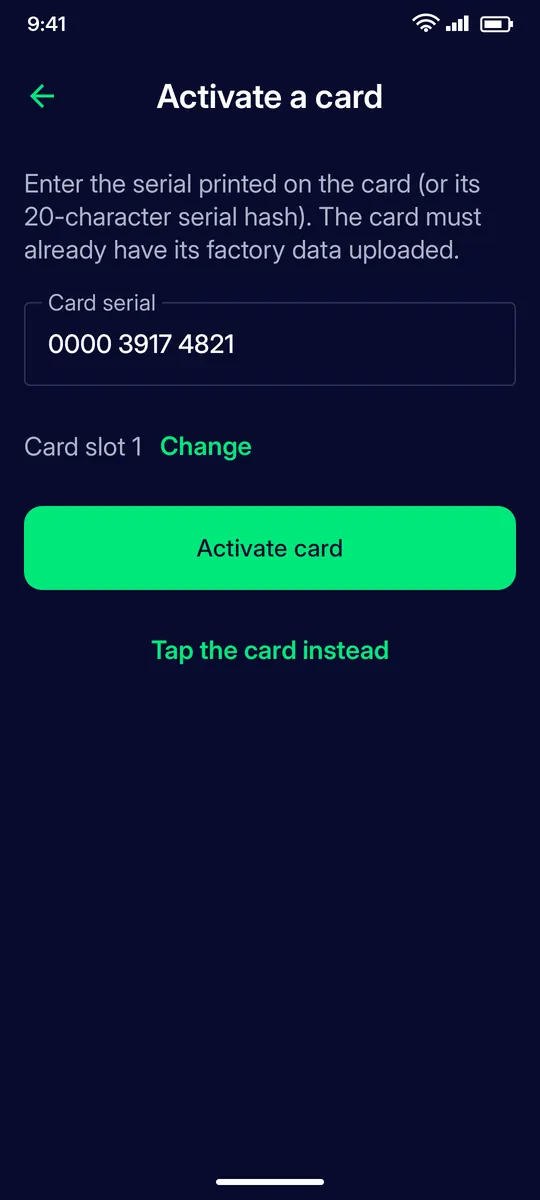
…or enter the serial
No NFC read? Tap Enter the serial instead, type the serial printed on the card (or its 20-character serial hash) and tap Activate card.
Step 5
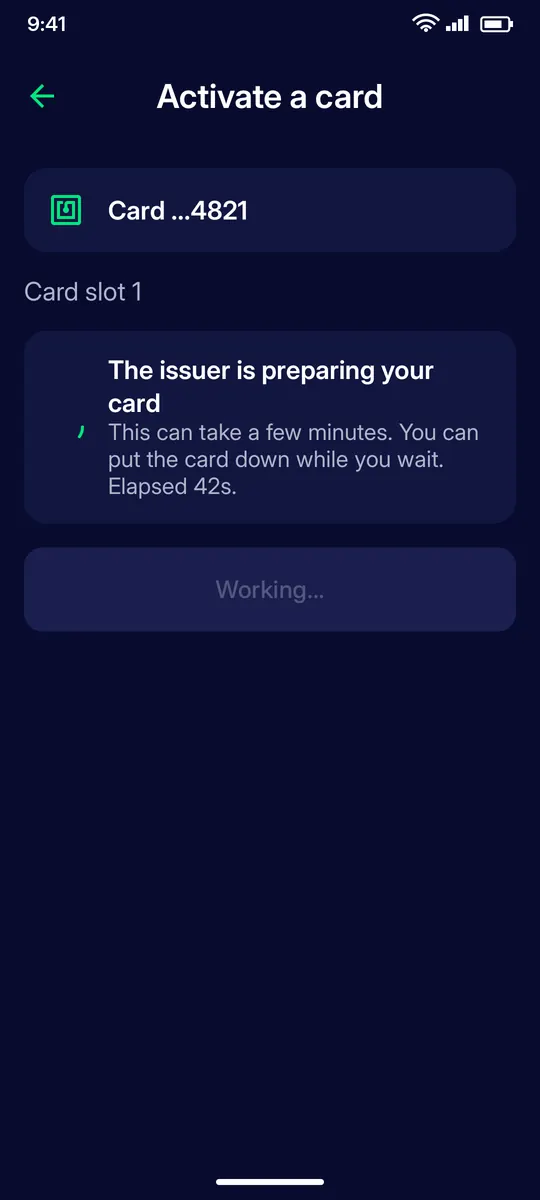
The issuer prepares your card
This can take a few minutes; the screen shows the elapsed time. Keep the card in your hand.
Step 6
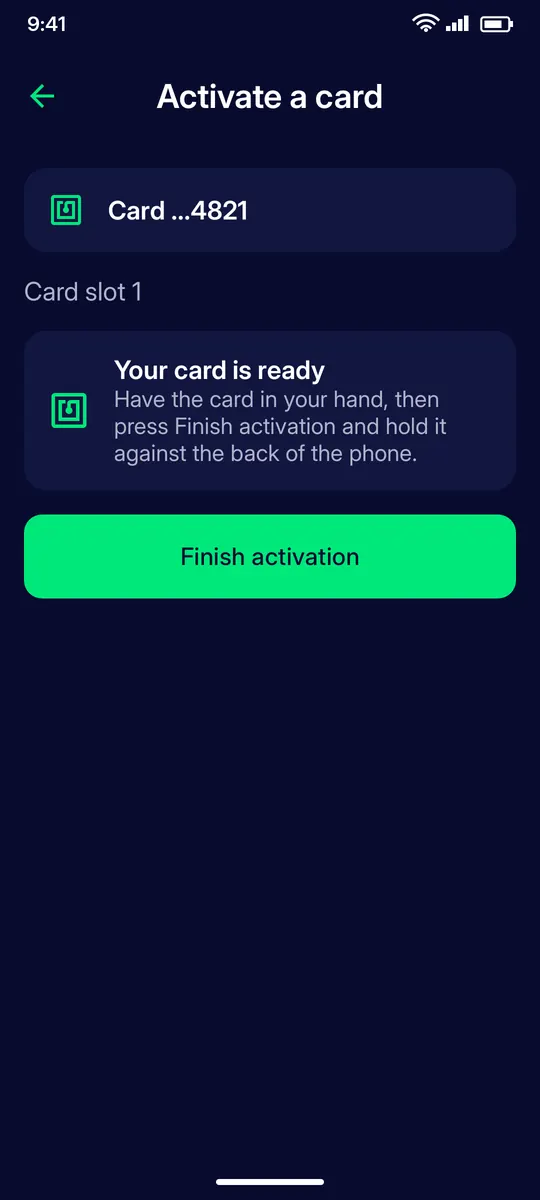
Your card is ready: hold it to the phone
When the card is ready, the Hold the card to the phone sheet opens by itself. Hold the card against the back of the phone. If the sheet times out after 60 seconds, tap Try again.
Step 7
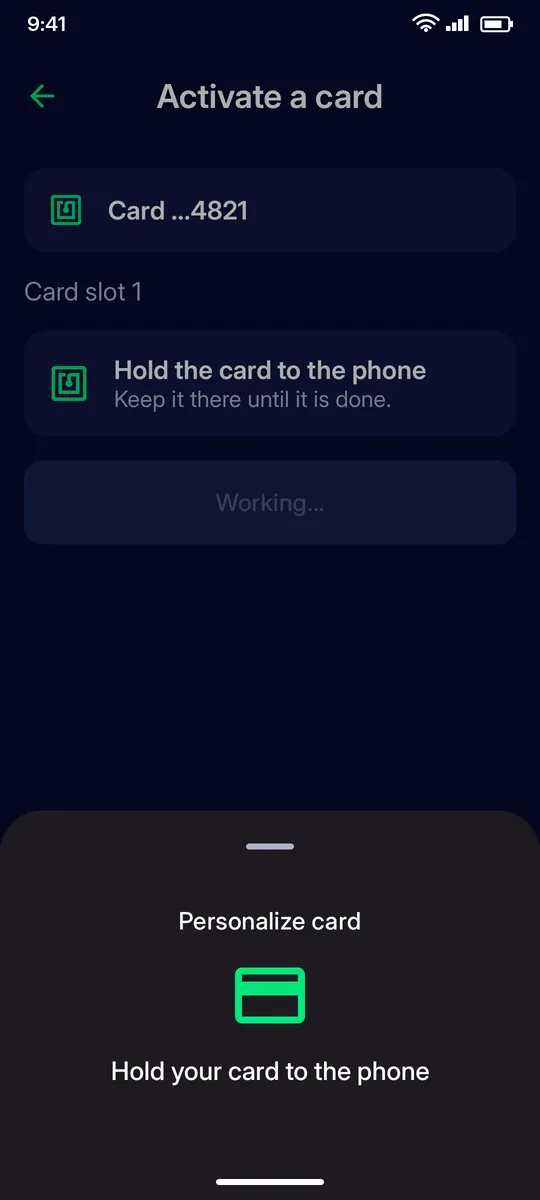
Hold the card to the phone
Keep the card there, still, until the sheet says it is done.
Step 8
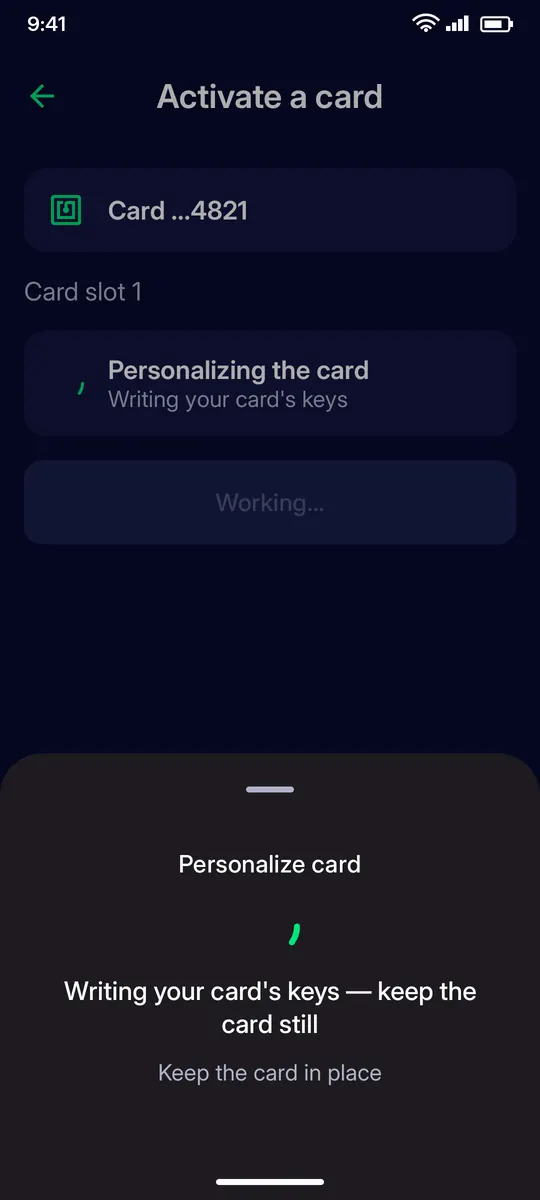
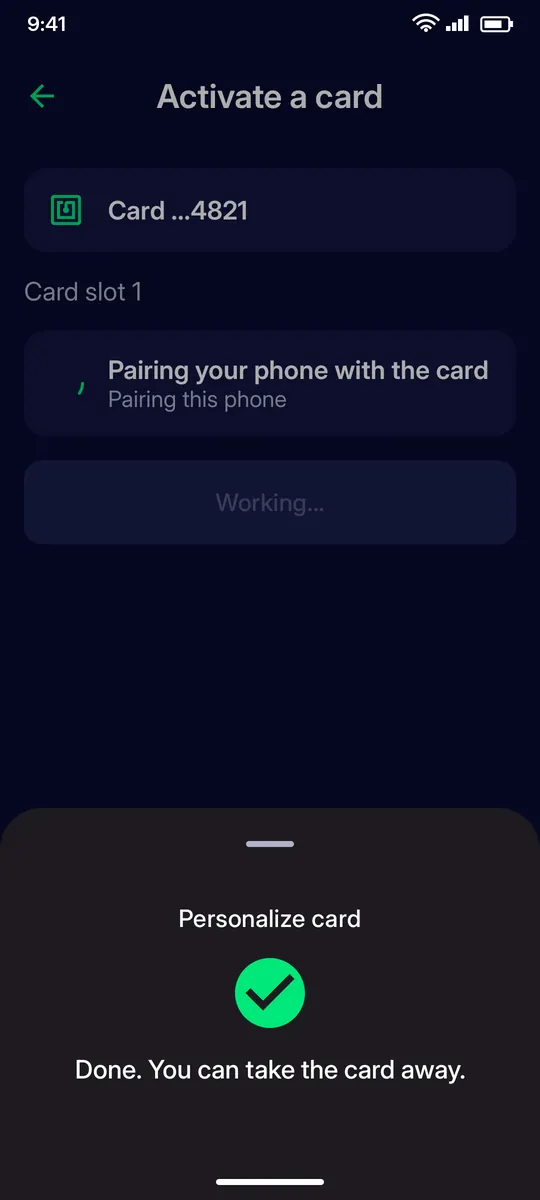
Personalizing the card
The card’s keys are being written. Keep the card still and in place.
Step 9
Done
When the sheet says Done you can take the card away. The app then pairs this phone with the card.
Step 10
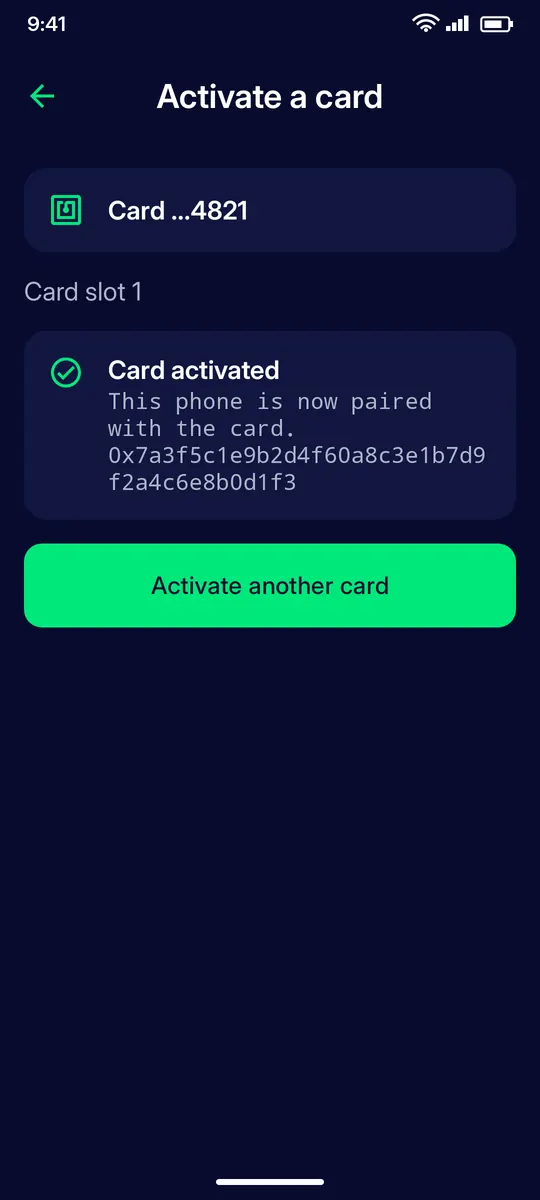
Card activated
This phone is now paired with the card and your card’s address is shown. Tap Activate another card to add a second one, or go to your portfolio.
If something goes wrong
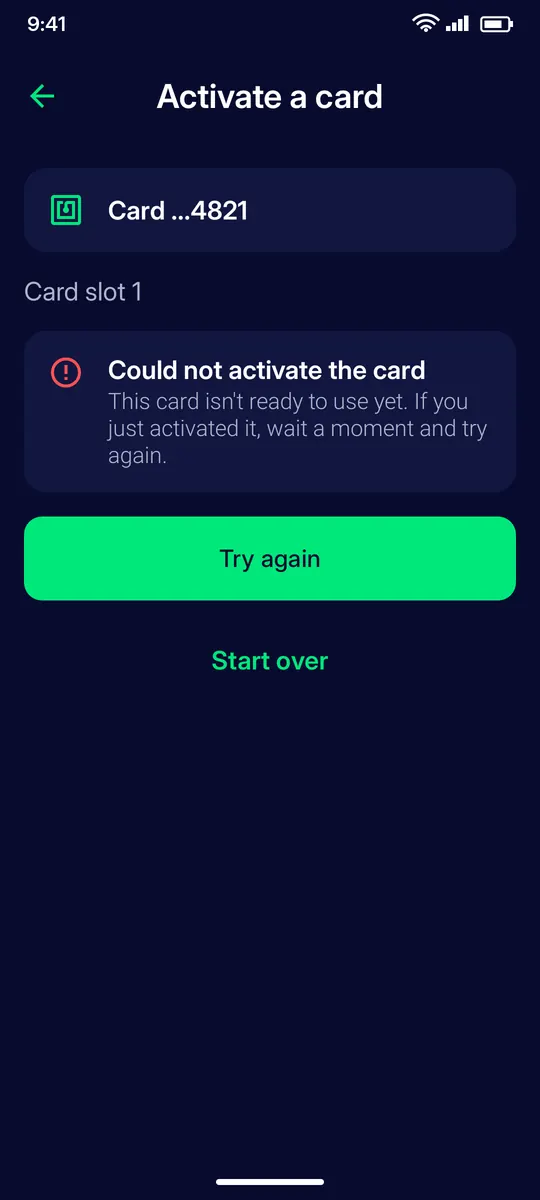
Could not activate the card
The card is not ready to use yet. If you just activated it, wait a moment and tap Try again: it picks up where you left off.
FAQ
Questions
What do I need to activate a Clevor card?
The card itself, an Android phone with NFC, the Clevor app and your Clevor account. The serial you may be asked for is printed on the card.
How long does activation take?
The issuer prepares the card in a few minutes; the screen shows the elapsed time. Keep the card in your hand: the tap sheet opens by itself when the card is ready. The final tap takes a few seconds.
The app says the card could not be activated. What should I do?
The card is not ready yet. Wait a moment and tap Try again; it picks up where you left off.
Does activation also pair my phone?
Yes. After the card’s keys are written, the app pairs this phone with the card and shows your card’s address.
Can I activate the card without tapping it?
You can start the activation by entering the serial printed on the card, but the final step writes the card’s keys and needs the card held to the phone.
What if all five card slots are in use?
An account has five card slots for its whole life and a closed card keeps its slot, so the app says that all five card slots on this account are in use. Use the contact page if you need more.