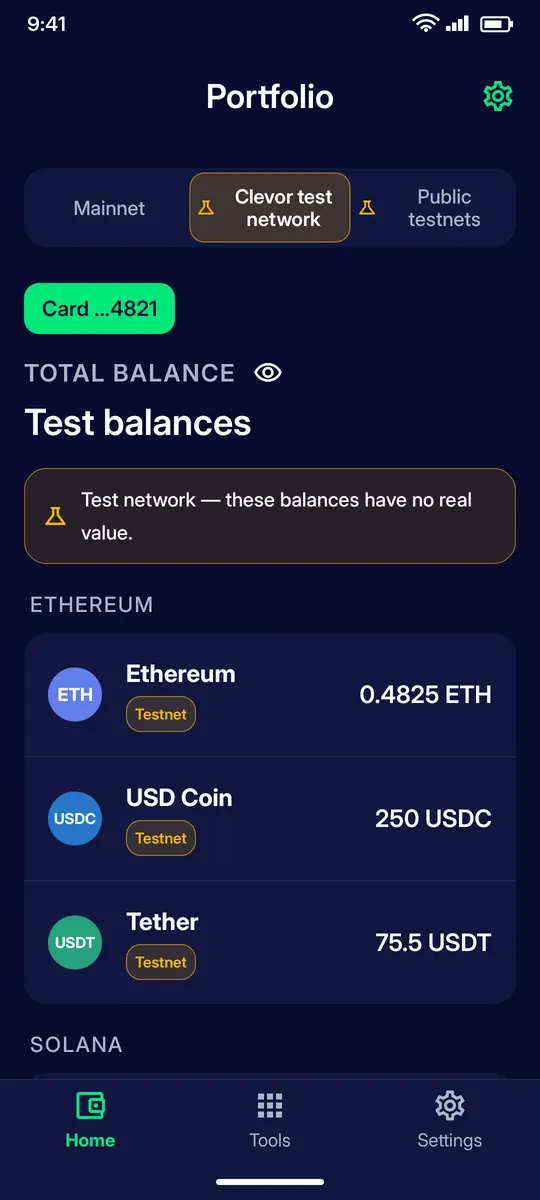
The Home tab shows every balance held by your card, grouped by network. From an asset page you copy your address, show a QR code to receive, send, or open the history.
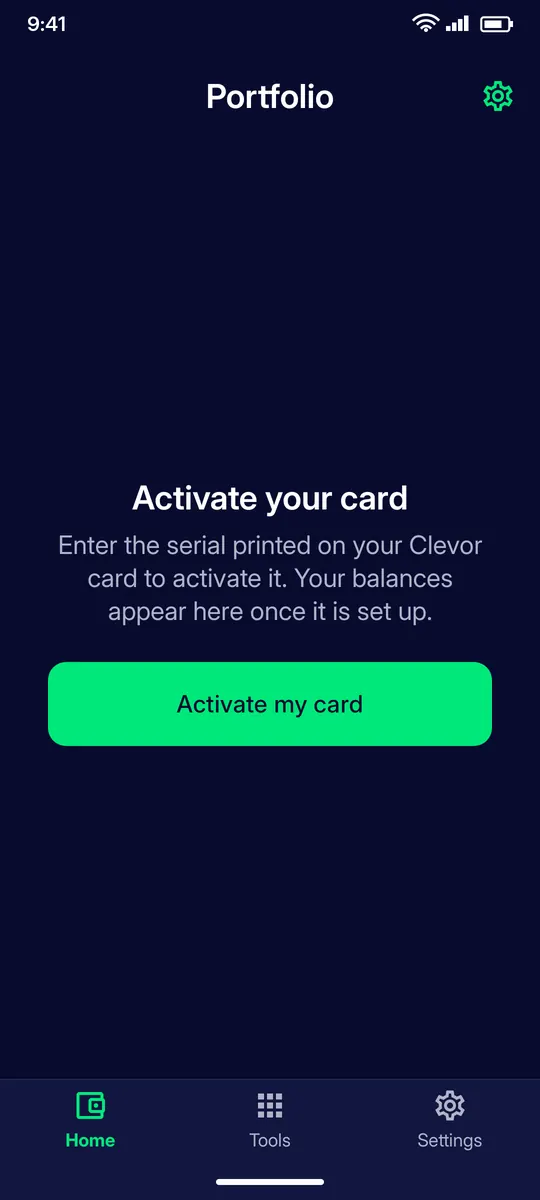
Before you start: An activated card. Until a card is activated, the Home tab only offers Activate my card.
Switch between Mainnet, the Clevor test network and public testnets at the top. The green chip shows which card you are looking at. Assets are grouped by chain (Ethereum, Solana, …) with the balance of each.
STEP 2
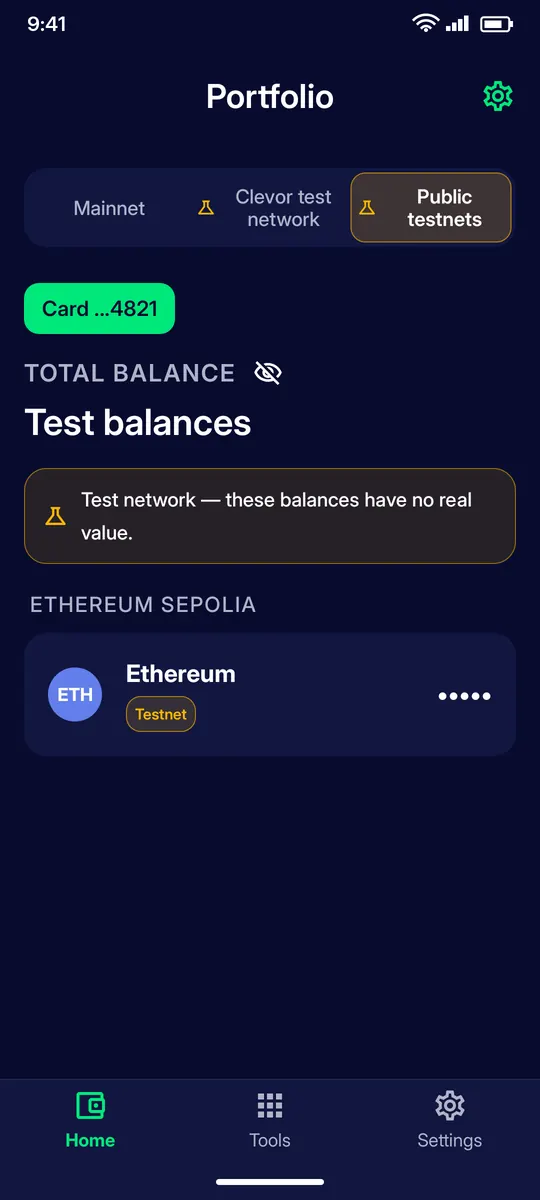
Hide your balances
Tap the eye icon next to Total balance to mask the amounts, for example when you open the app in public. Tap it again to show them.
STEP 3
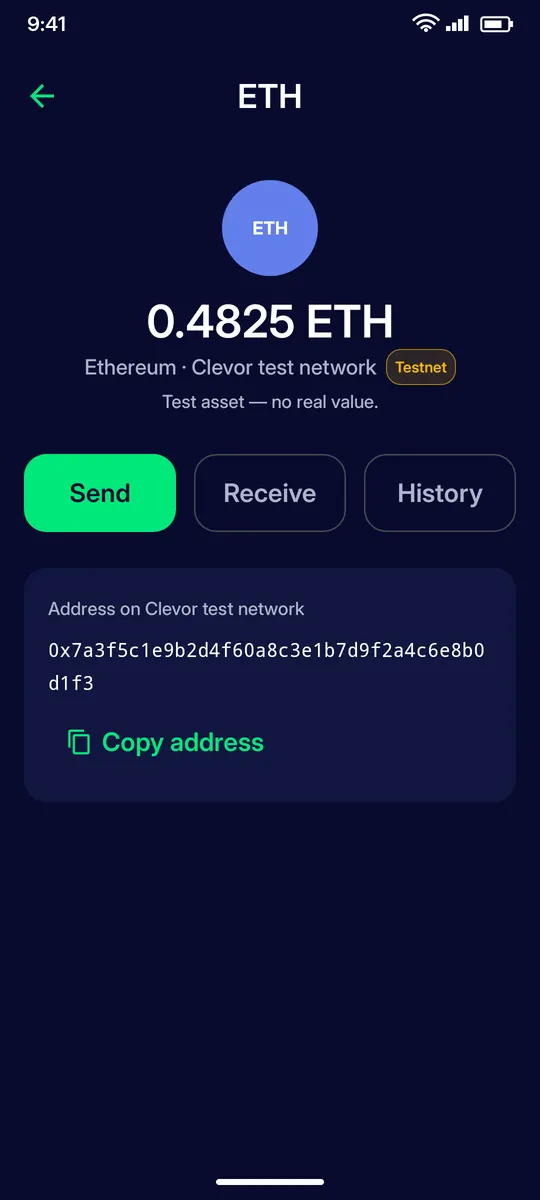
Asset page
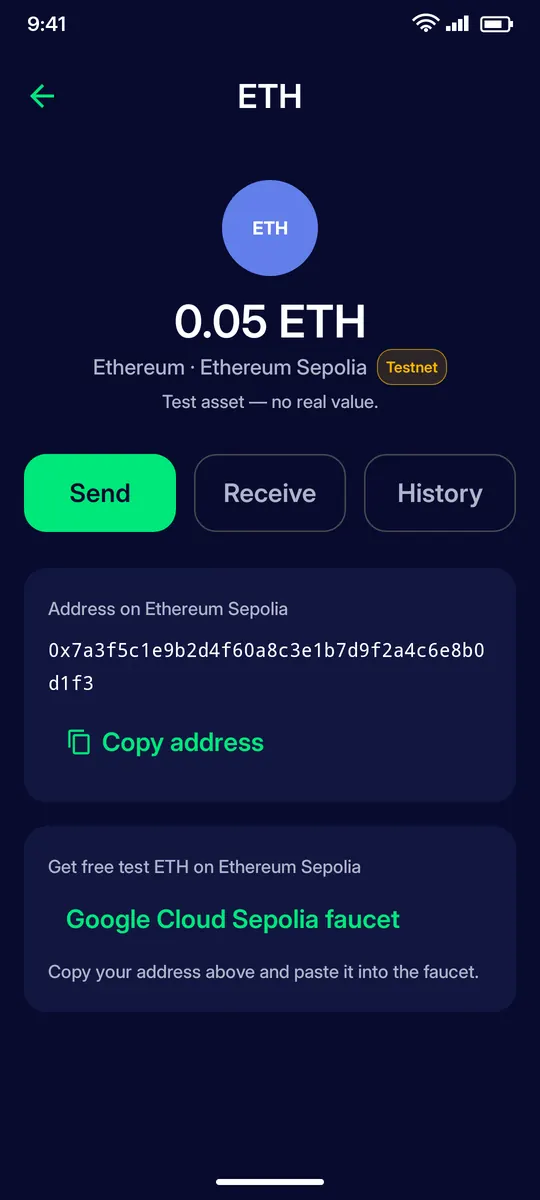
Tap an asset to see its balance, your address on that network with Copy address, and the Send, Receive and History buttons.
STEP 4
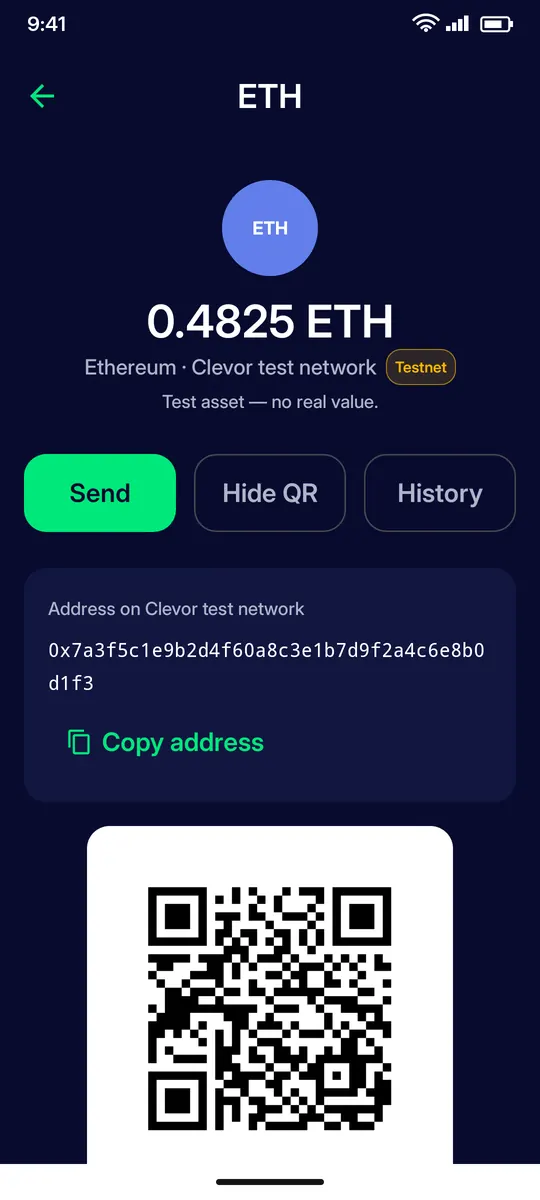
Receive
Receive shows your address as a QR code. Let the sender scan it, or copy the address. Only coins on the matching network should be sent to it.
STEP 5
Test coins on public testnets
On public testnets each asset page links to a faucet that gives free test coins: copy your address and paste it into the faucet. Test coins have no real value.
IF SOMETHING GOES WRONG
If something goes wrong
No card yet
Until a card is activated, the Home tab only offers Activate my card. Your balances appear here once the card is set up.
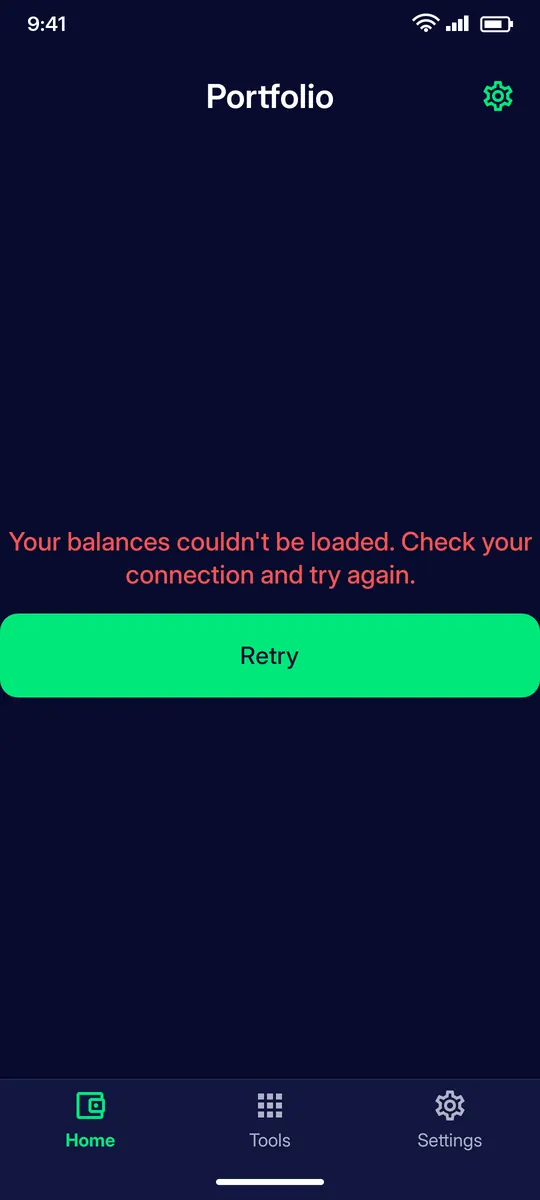
Balances couldn’t be loaded
The app could not reach the network. Check your connection and tap Retry.
QUESTIONS
Questions
What are the Mainnet, Clevor test network and Public testnets tabs?
They switch the networks whose balances you see. Mainnet assets are real; the Clevor test network and the public testnets hold test coins with no real value.
How do I receive crypto on my Clevor card?
Open the asset, tap Receive and let the sender scan the QR code, or copy the address. Send only coins of the matching network to that address.
Can I hide my balances?
Yes. Tap the eye icon next to Total balance; tap it again to show them.
Where do I get test coins?
On public testnets each asset page links to a faucet. Copy your address and paste it into the faucet.