At a Clevor terminal you pay by holding your card to the merchant’s phone. Below your contactless limit the card alone signs the payment. Above it, the terminal needs a second confirmation: your POS PIN typed at the terminal, or an approval on your phone.
Before you start: An activated card paired with your phone. For payments above your contactless limit, your phone with you or a POS PIN set in the app.
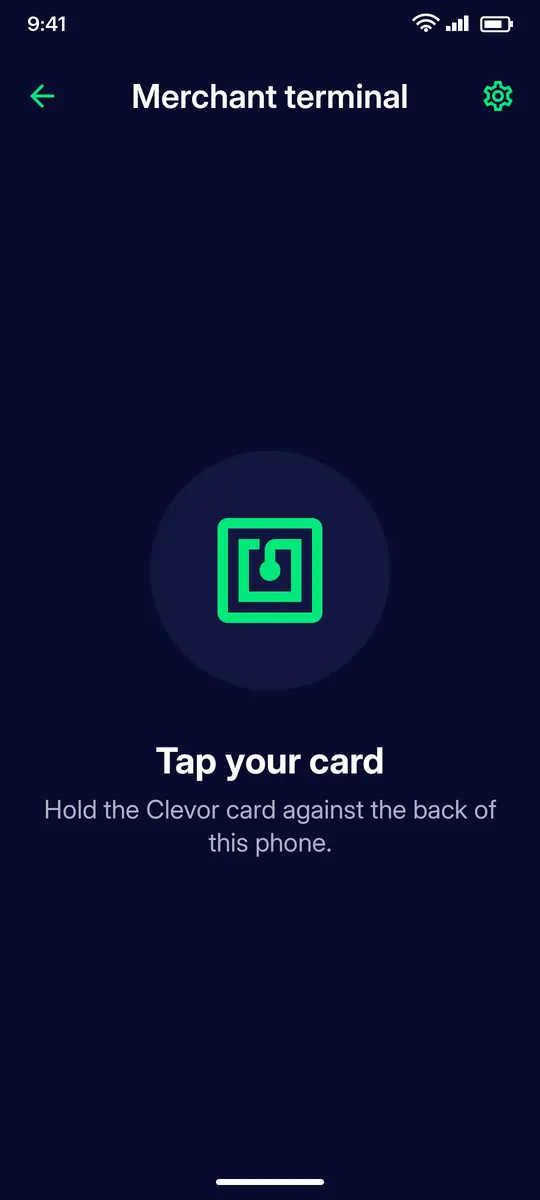
The merchant enters the amount and asks you to hold your Clevor card against the back of their phone. Keep it there until the terminal confirms.
STEP 2
Above the tap limit
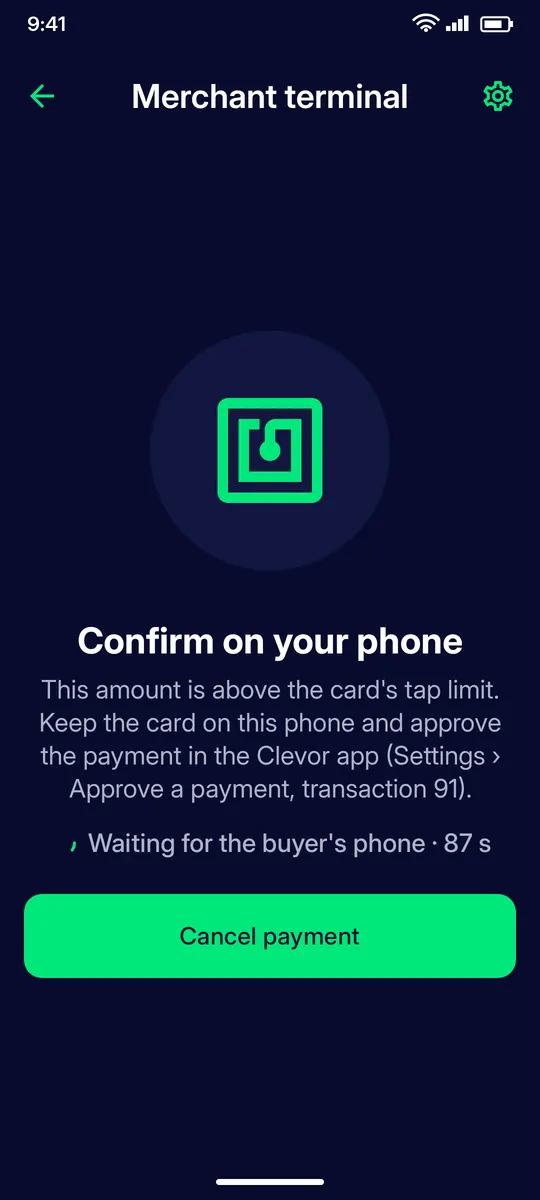
If the amount is above your card’s tap limit the terminal waits: approve the payment in your own Clevor app, or type your POS PIN on the terminal. The payment is held for a short time.
STEP 3
Approve a payment on your phone
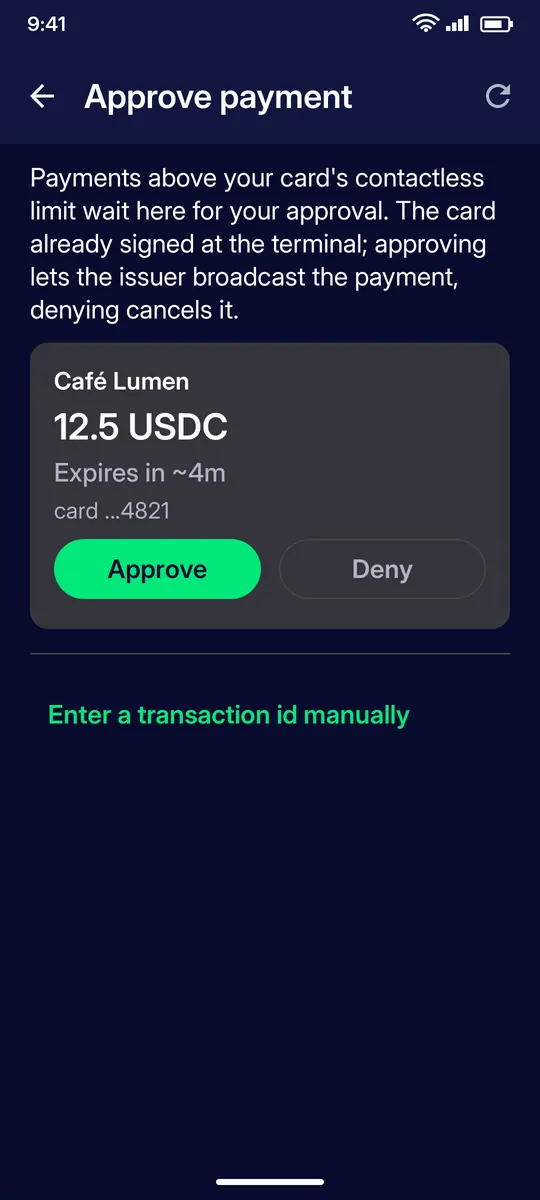
Open Settings › Approve a payment (step-up). A pending payment shows the merchant, the amount, the card and when it expires. Tap Approve to let the issuer broadcast it, or Deny to cancel it.
STEP 4
Nothing pending?
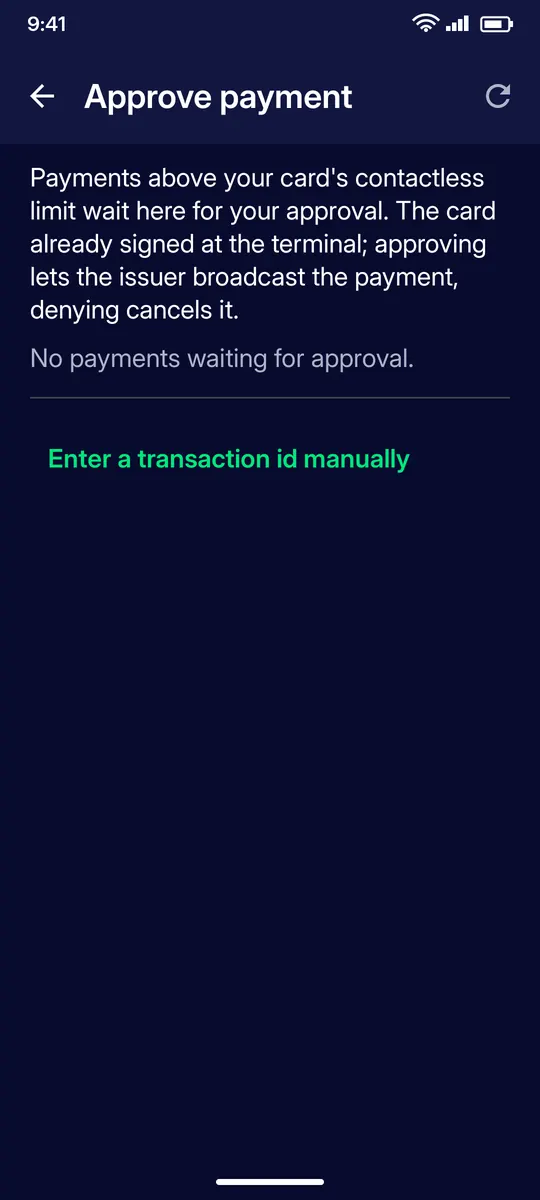
If the terminal shows a transaction number but nothing appears here, tap Enter a transaction id manually and type the number the terminal displays.
STEP 5
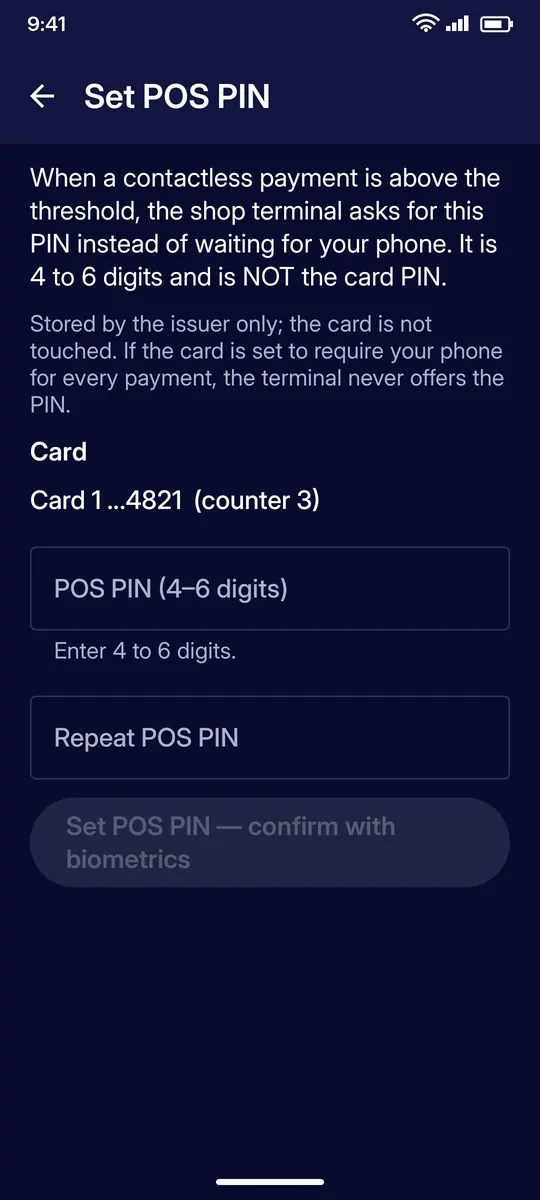
Or set a POS PIN
Under Settings › Cards › your card › Set POS PIN you can set a 4–6 digit PIN that the shop terminal asks for instead of waiting for your phone. It is stored by the issuer only and it is not your card PIN.
IF SOMETHING GOES WRONG
If something goes wrong
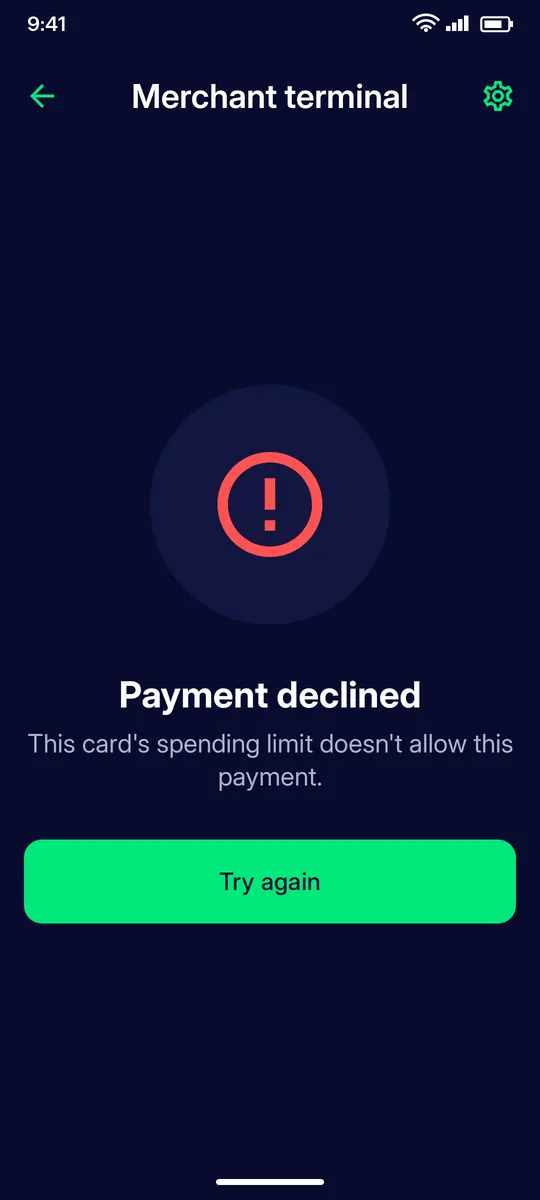
Payment declined
Your card’s spending limit does not allow this payment. Check the limits on your card page, or pay another way.
QUESTIONS
Questions
How do I pay with my Clevor card?
Hold the card to the merchant’s phone running the Clevor terminal. Below your contactless limit the card alone signs the payment.
What happens above the contactless limit?
The terminal needs a second confirmation: either you type your POS PIN on the terminal, or you approve the payment in your app under Settings › Approve a payment.
What is a POS PIN?
A 4–6 digit PIN set in the app under Settings › Cards › your card › Set POS PIN. It is stored by the issuer only and is not your card PIN.
How long do I have to approve a payment?
The pending payment shows when it expires. Approve or deny it before then; otherwise it is not broadcast.
Can I set my own spending limits?
Your card page shows the per-payment and per-month limits and what you spent this month. Your own limit can be lower than the issuer’s limit.